
Overview
Organisation credits are used for credit-based functions such as chargeable notifications. Users with billing permission can configure top-up settings and perform new top-ups.
Steps
Go to Settings.
Open Billing & Credit.
Select Organisation Credits.
Review credit balance.
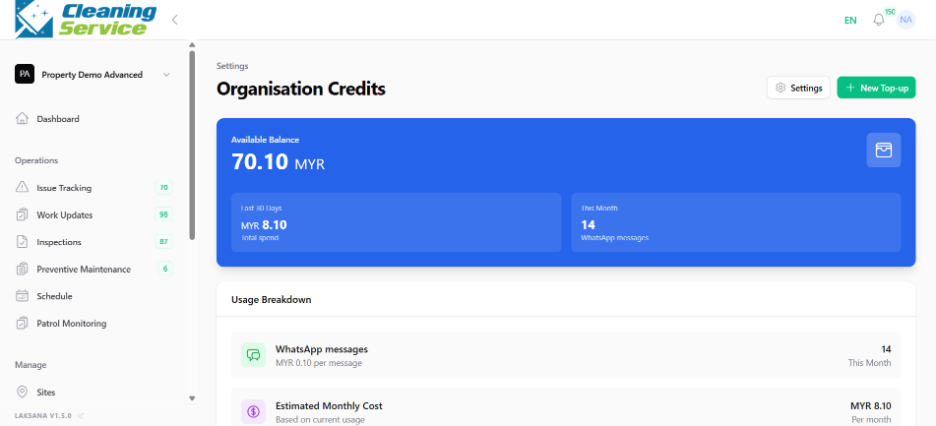
Configure top-up setting, if required.
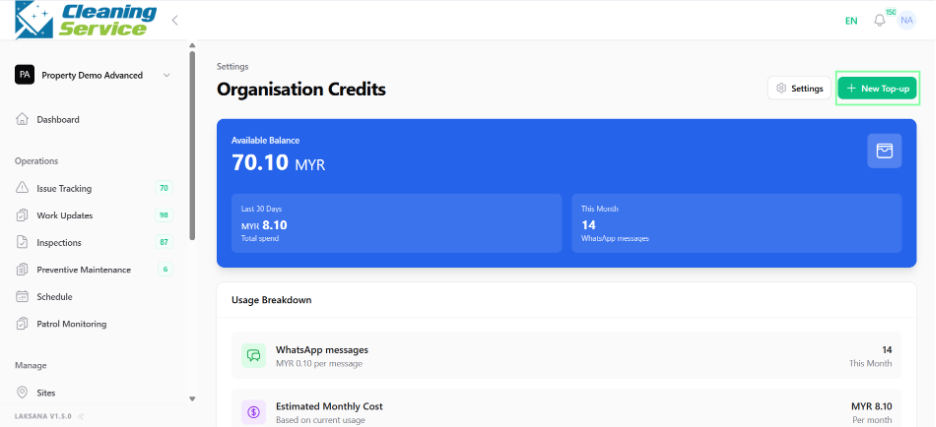
Click New Top-up.
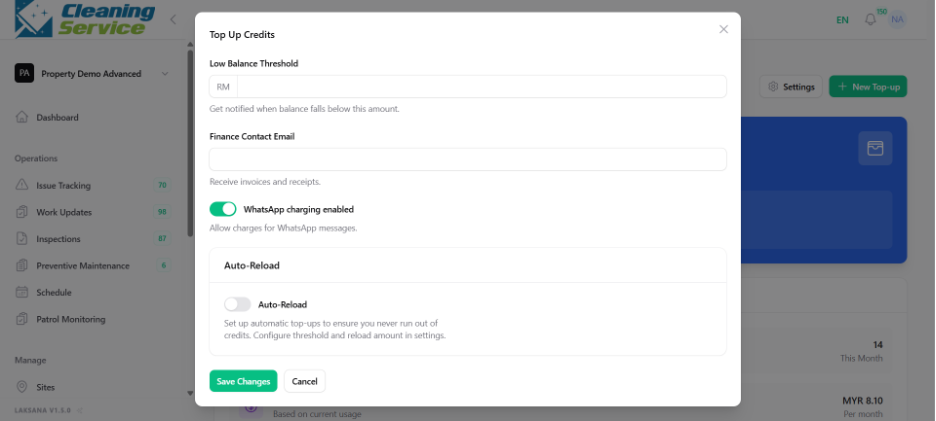
Complete the top-up process.
Tips
Monitor credits if your organisation depends on WhatsApp notifications.
Use auto reload to reduce risk of notification interruption.
Check notification logs when troubleshooting message delivery.