
Overview
Users with permission can create work updates directly from the portal.
Steps
Go to Operations.
Open Work Updates.
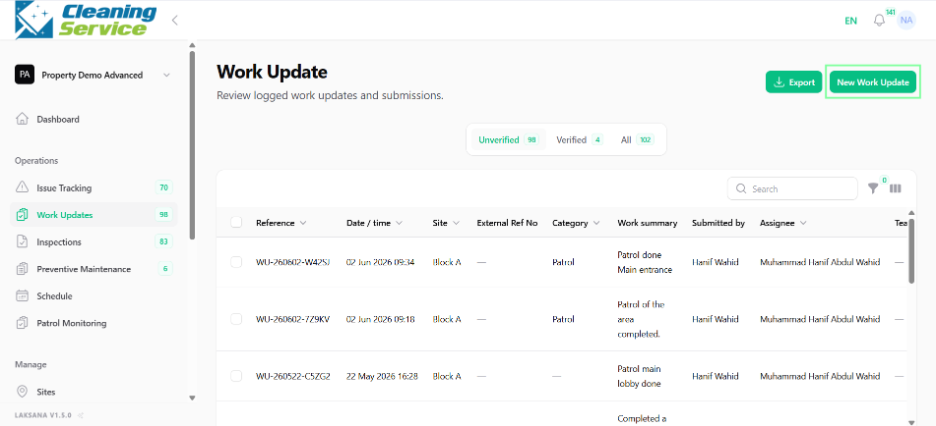
Click New Work Update.
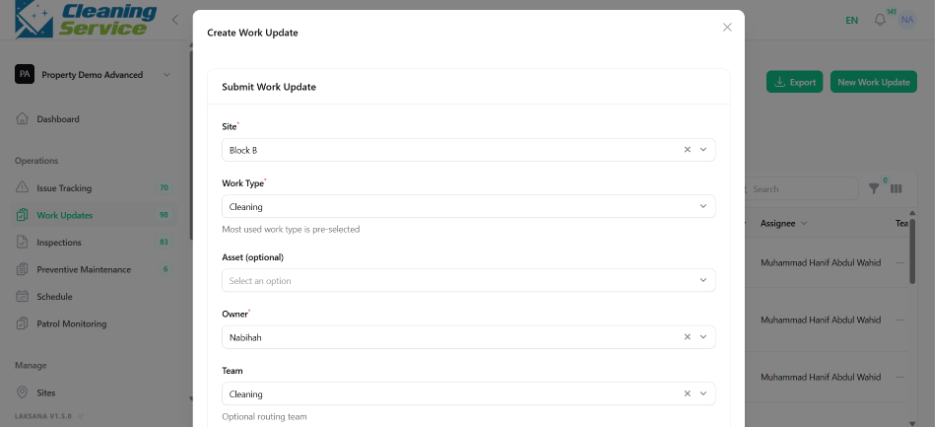
Select the site.
Select category.
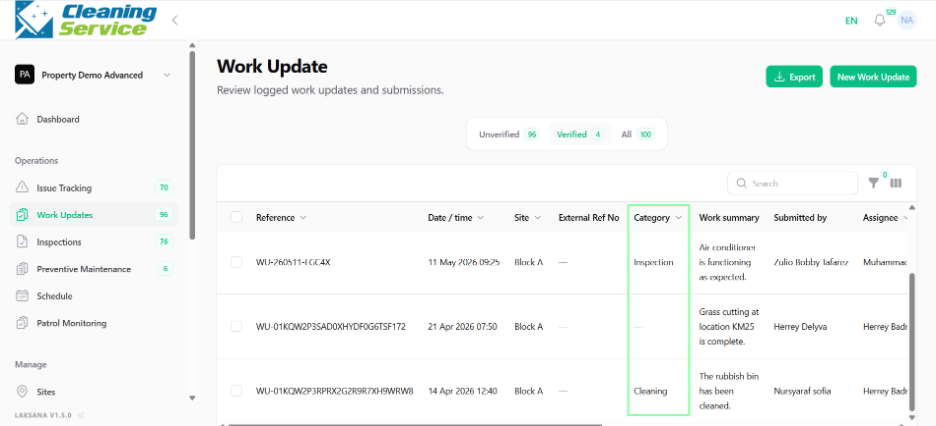
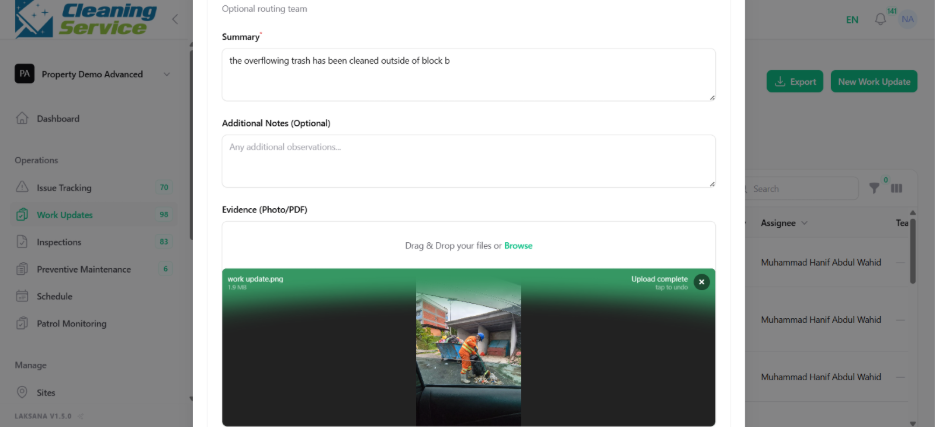
Enter work summary.
Add assignee or team, if required.
Upload evidence photo, if available.
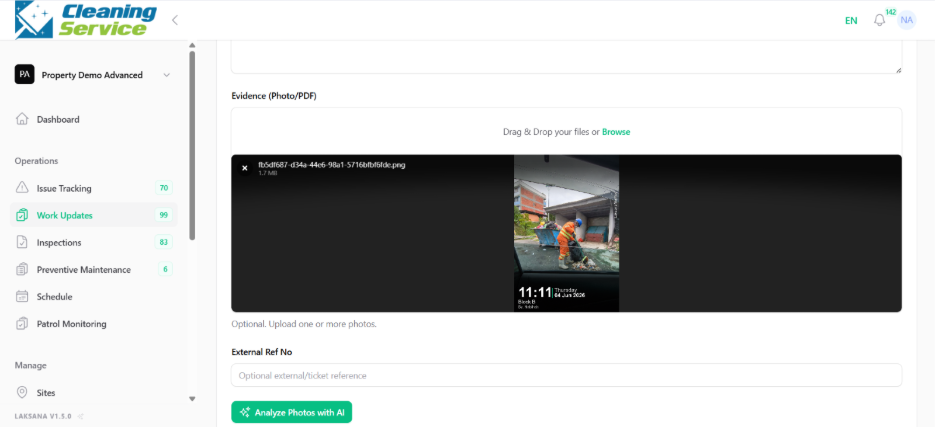
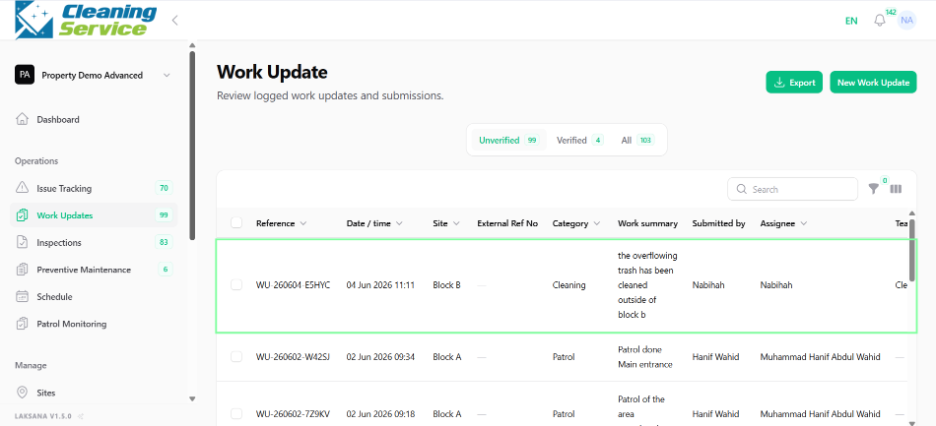
Submit the work update.
Tips
Write a clear summary of the work completed.
Attach photos for proof, especially for completed maintenance or inspection-related work.
Link the work update to an issue if it supports issue resolution.