
Overview
Field users can submit work updates through WhatsApp, allowing them to report from the site without logging into the portal.
Before you start
The user’s WhatsApp number must be registered in Laksana.
Typical steps
Open WhatsApp.
Start a conversation with the Laksana bot or use the provided bot guide.
Submit the work update message.
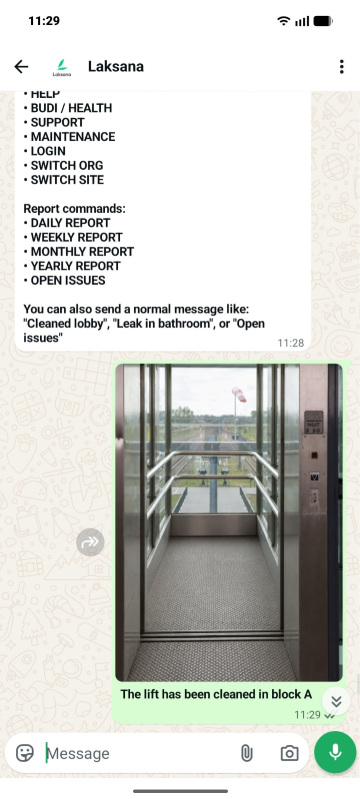
Attach photo evidence, if required.
Confirm submission if prompted.
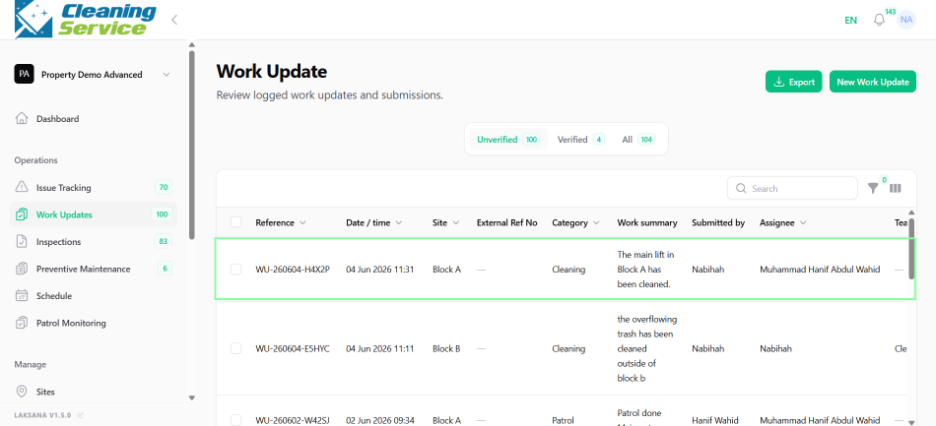
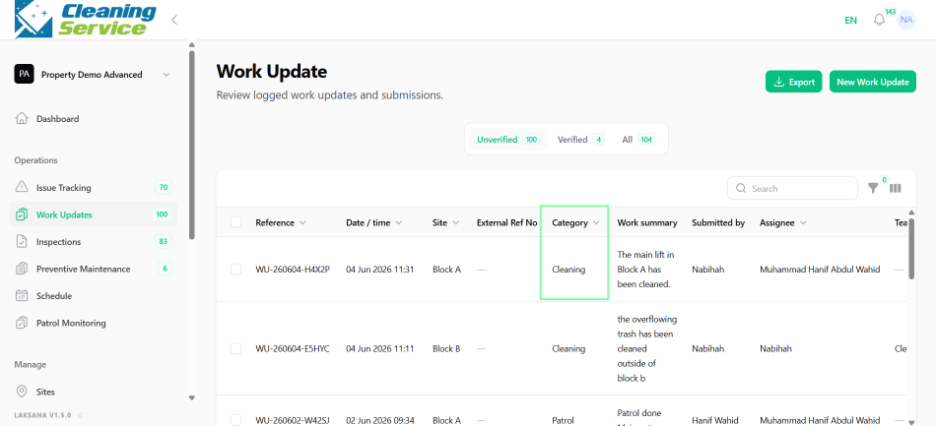
The record will appear in the Work Updates page in the portal.
Example message
“Completed inspection of loading bay. Area is clear and no damage found.”
Tips
Keep messages clear and specific.
Include site, asset, or area details where relevant.
Send a photo when evidence is required.