
Overview
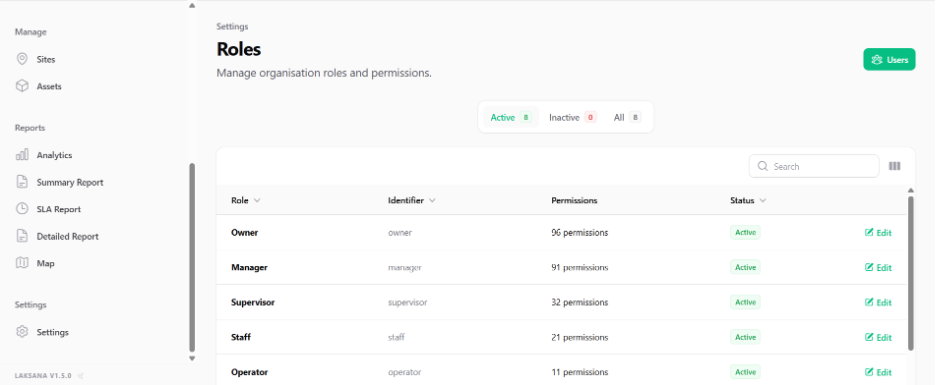
User roles control what each member can view and do in Laksana. Roles help ensure that each user only has access to the features and records relevant to their responsibility.
Common role types
Admin
Admin users manage system setup and configuration. They usually have access to organisation settings, members, teams, roles, categories, sites, assets, SLA policies, assignment rules, billing, and integrations.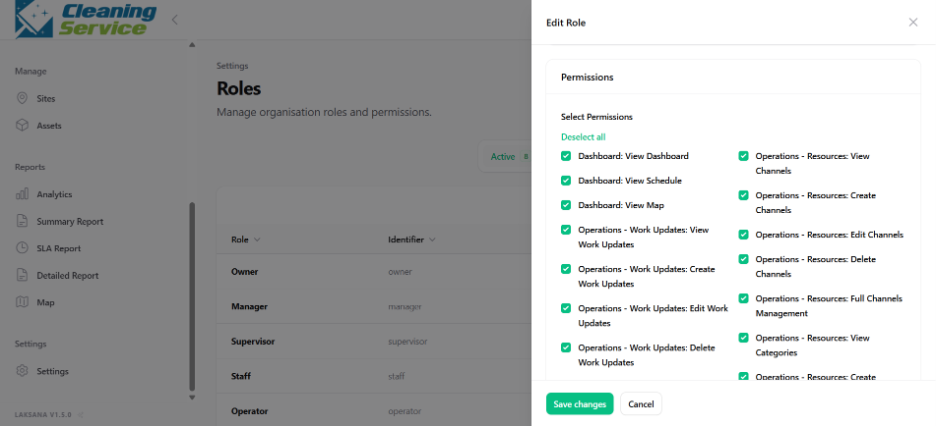
Manager
Manager users monitor performance and reporting. They usually review analytics, summary reports, detailed reports, SLA reports, site dashboards, and operational performance.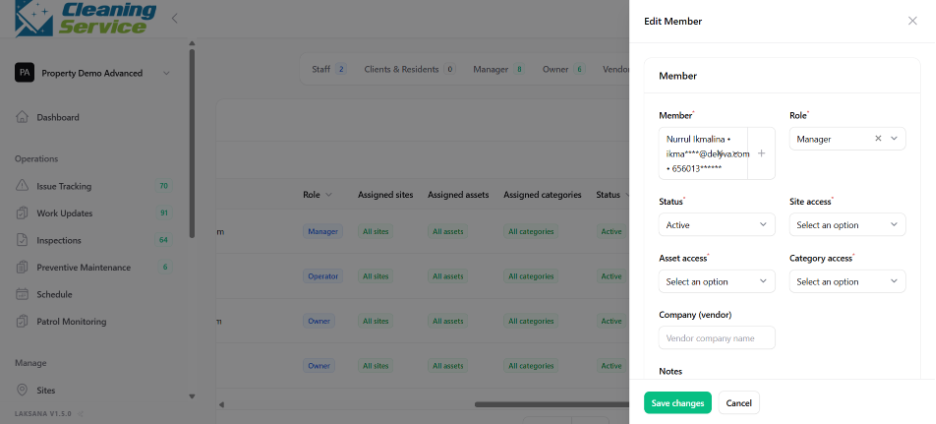
Supervisor
Supervisor users manage daily operations. They usually review work updates, assign issues, verify inspections, approve or reject submissions, and monitor overdue items.
Field user
Field users submit updates from the site. They may report issues, submit work updates, complete inspections, upload photo evidence, or use QR codes.
Viewer
Viewer users have limited access. They may only be allowed to view reports, dashboards, or selected operational records.
Best practice
Create role permissions based on actual job responsibilities. Avoid giving full admin access to users who only need to submit updates or view reports.