
Overview
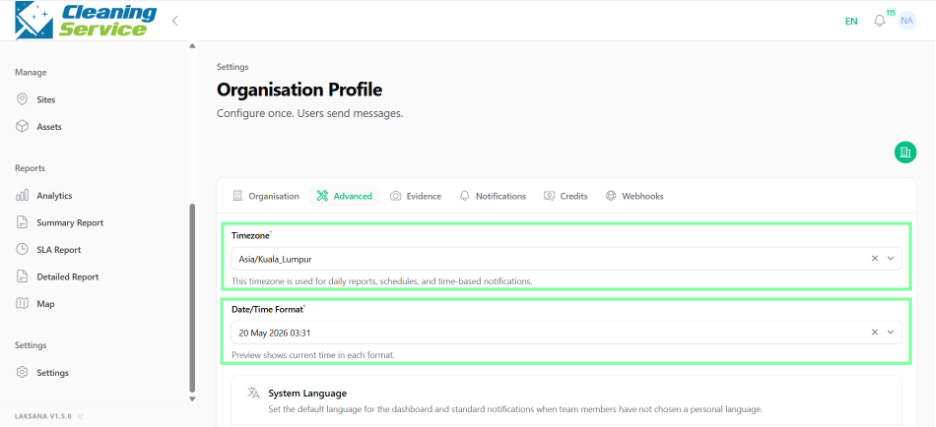
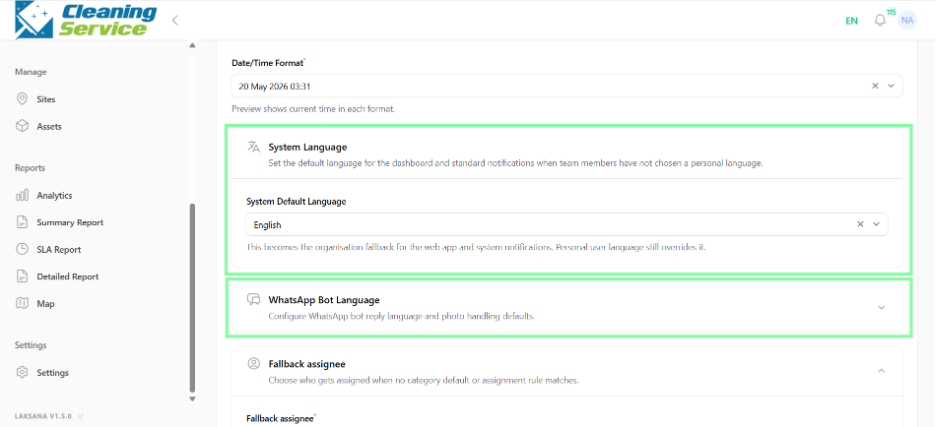
Advanced settings control system-wide preferences such as timezone, time format, system language, WhatsApp bot language, and fallback assignee.
Before you start
You need admin access.
Steps
Go to Settings.
Open Organisation.
Select Organisation Profile.
Select Advanced.
Set the correct timezone.
Choose the preferred time format.
Select the system language.
Select the WhatsApp bot language.
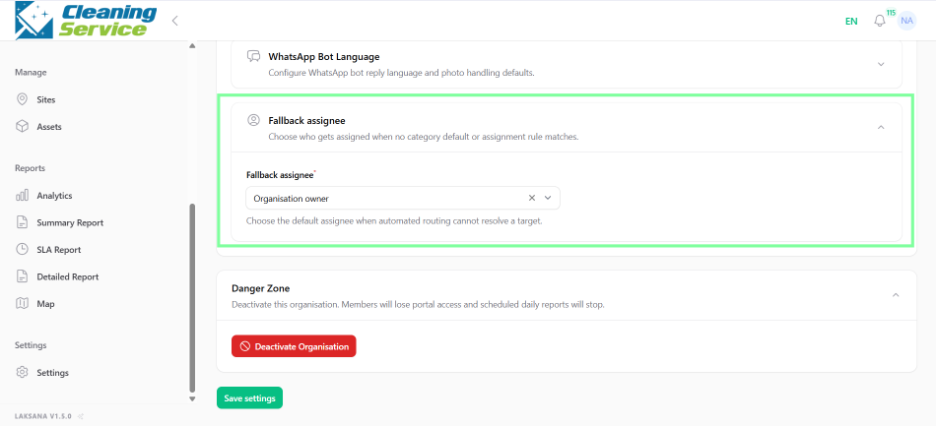
Set a fallback assignee.
Save the changes.
What is a fallback assignee?
A fallback assignee is the default user who receives records when the system cannot automatically assign them to another user or team.
Tips
Set the correct timezone before going live.
Choose the WhatsApp bot language based on your field users’ preferred language.
Use a supervisor or admin as fallback assignee to avoid unassigned records.