
Overview
Organisation credits are used for chargeable messaging or notification-related usage, such as WhatsApp notifications where applicable.
Before you start
You need admin or billing access.
Steps
Go to Settings.
Open Organisation.
Select Organisation Profile.
Select Credits.
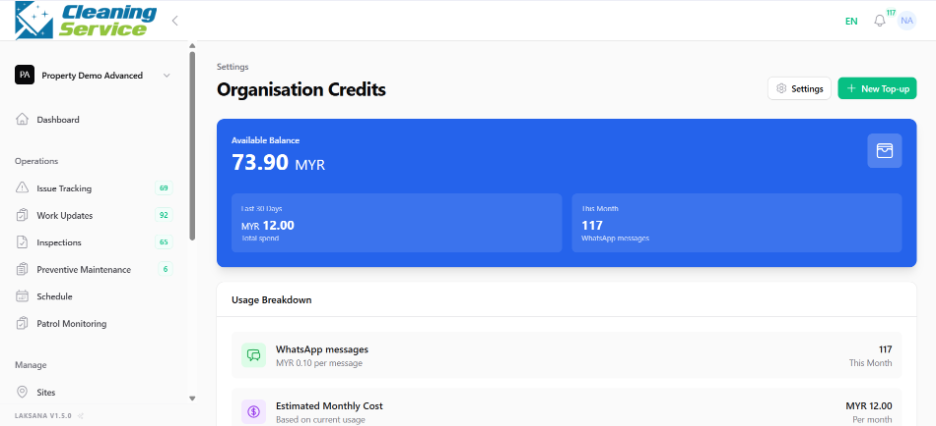
Check the current credit balance.
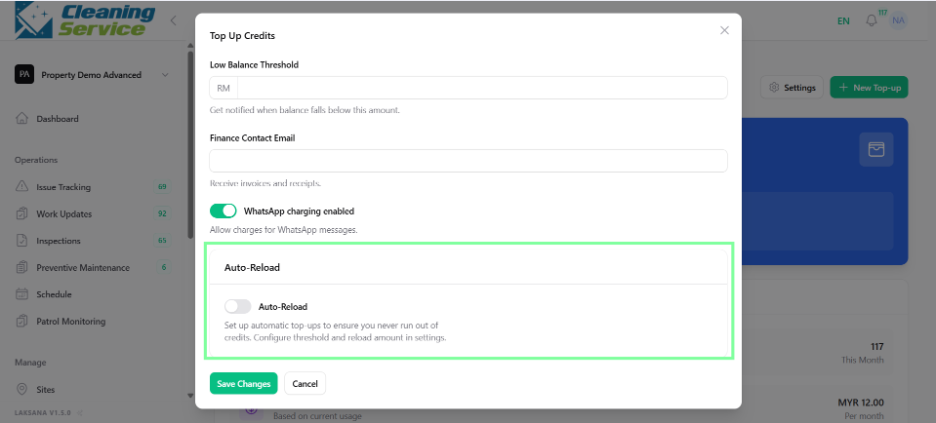
Configure auto reload, if required.
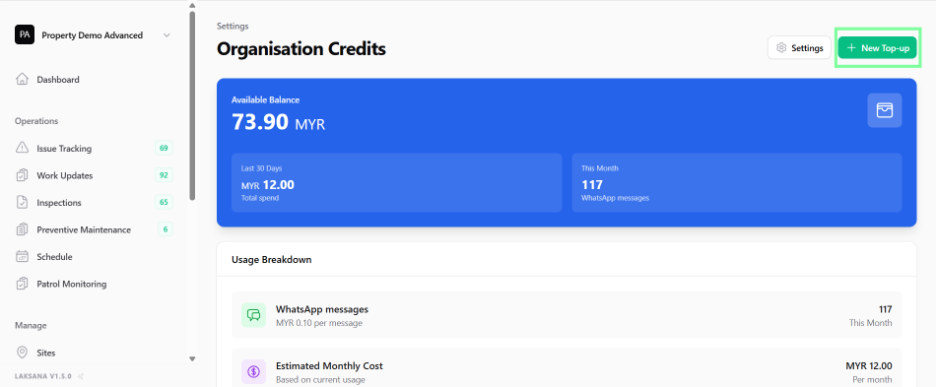
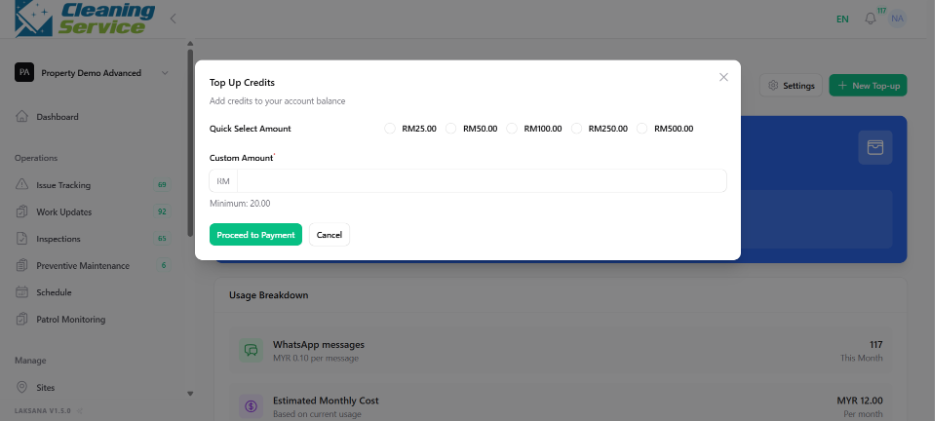
Use manual top-up when additional credits are needed.
Tips
Monitor credit balance regularly if your organisation uses WhatsApp notifications.
Enable auto reload if you want to avoid interruption due to insufficient credits.
Review notification logs if users report missing notifications.