
Overview
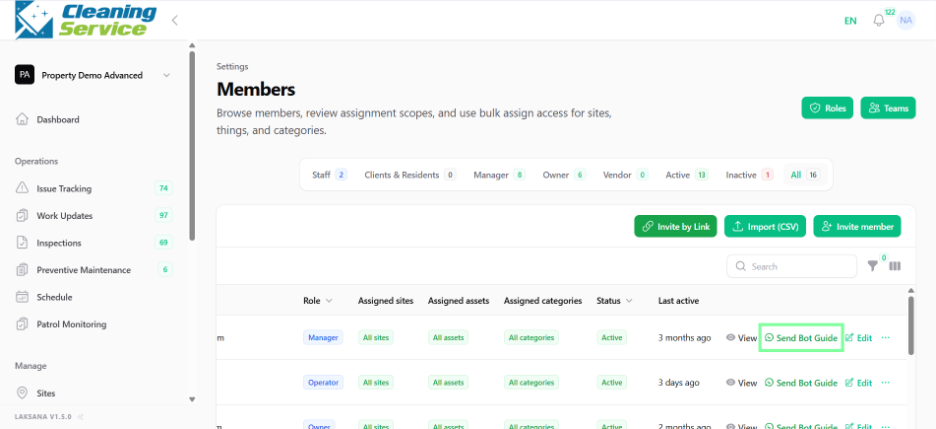
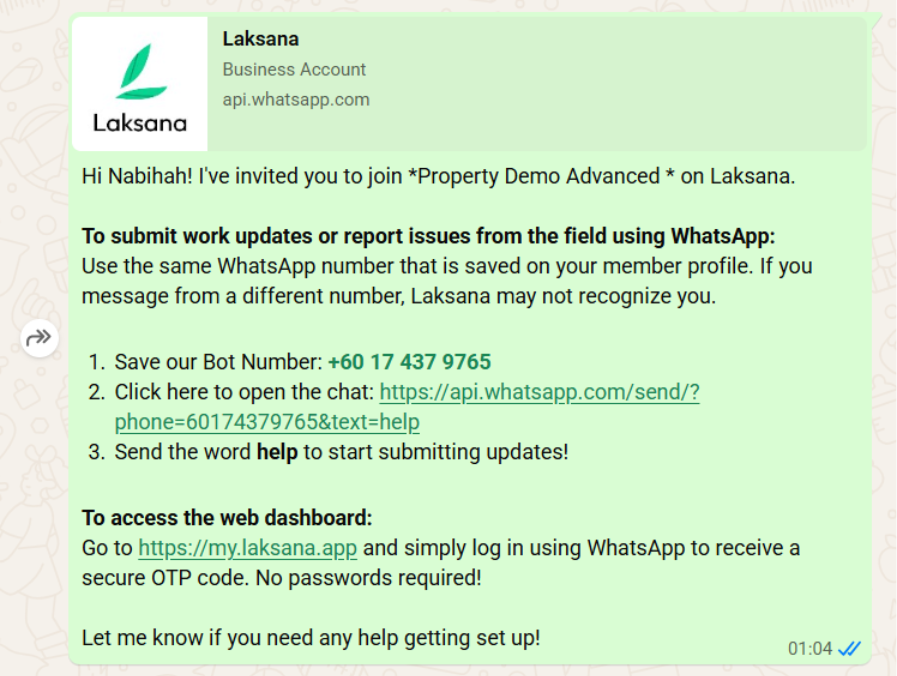
Field users can interact with Laksana through WhatsApp. To enable this, their WhatsApp number should be added to their member profile. Admins can also send a bot guide to help users start using the WhatsApp flow.
Before you start
The member must already exist in Laksana.
Steps
Go to Settings.
Open Members.
Select the member you want to update.
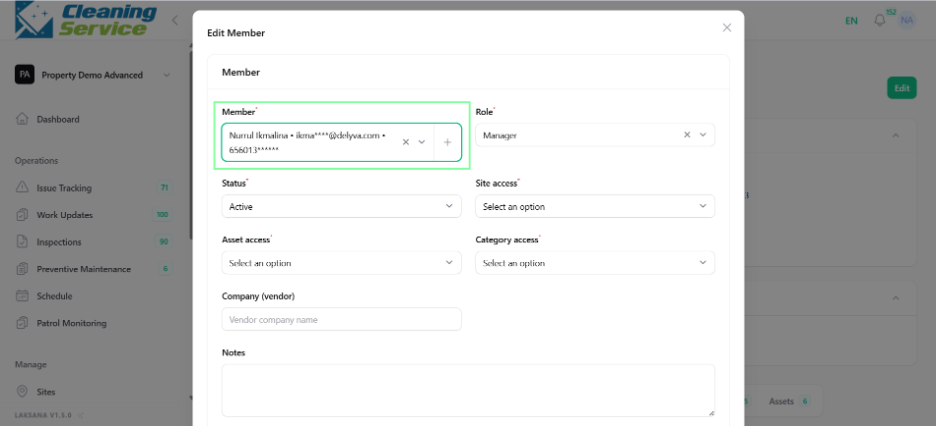
Click Edit.
Enter the member’s WhatsApp number.
Save the member profile.
Use Send Bot Guide to send instructions to the user.
Tips
Ensure the WhatsApp number includes the correct country code.
Ask users to save the bot number if required.
Send the bot guide before training field users.