
Overview
Roles define what users are allowed to access and perform in Laksana. Admins can edit permissions for each role based on system features and workflows.
Before you start
You need admin access.
Steps
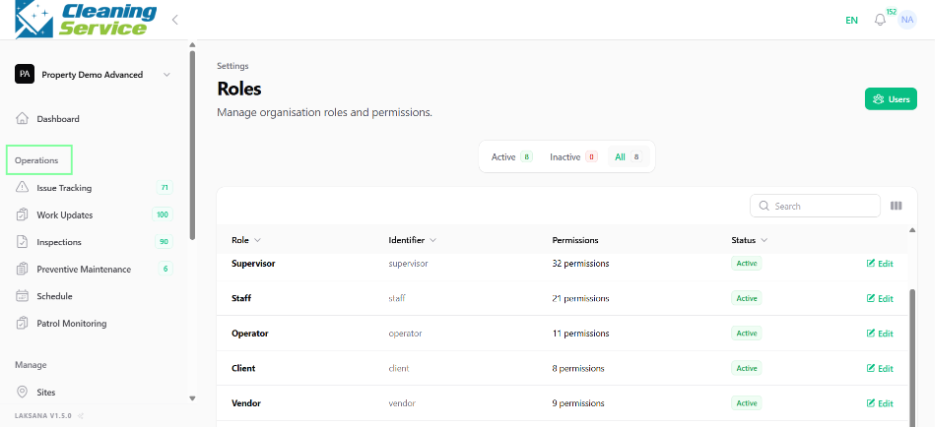
Go to Settings.
Open Roles.
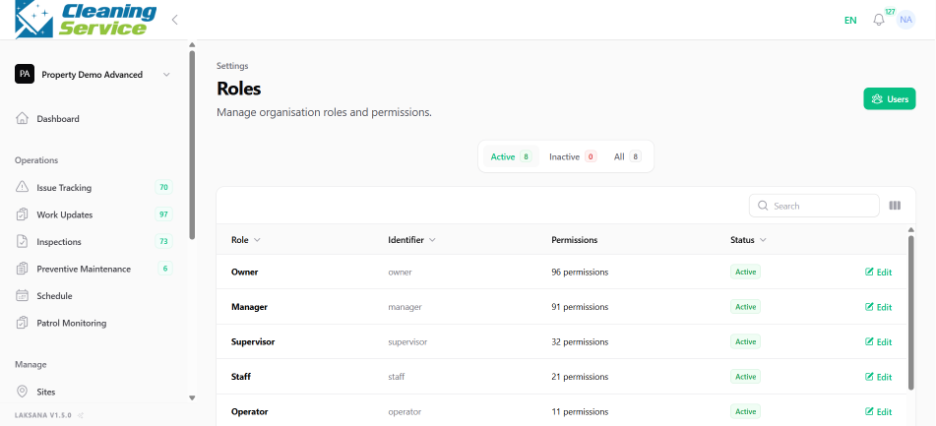
Select a role.
Click Edit.
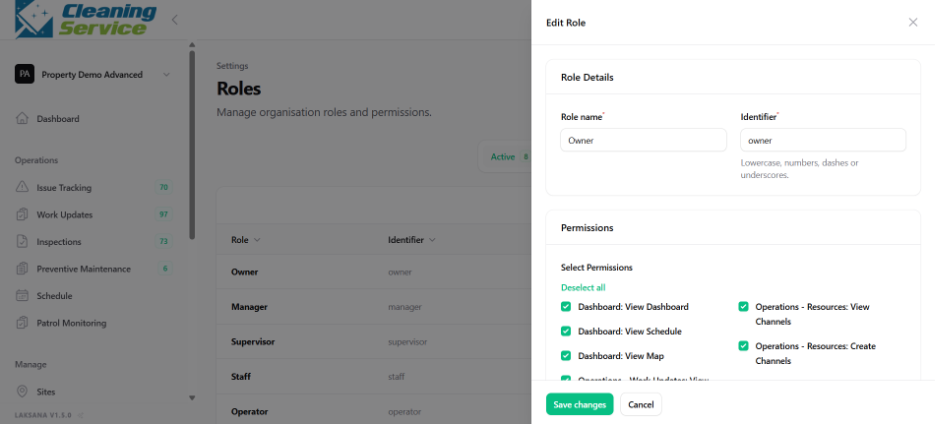
Review the available permissions.
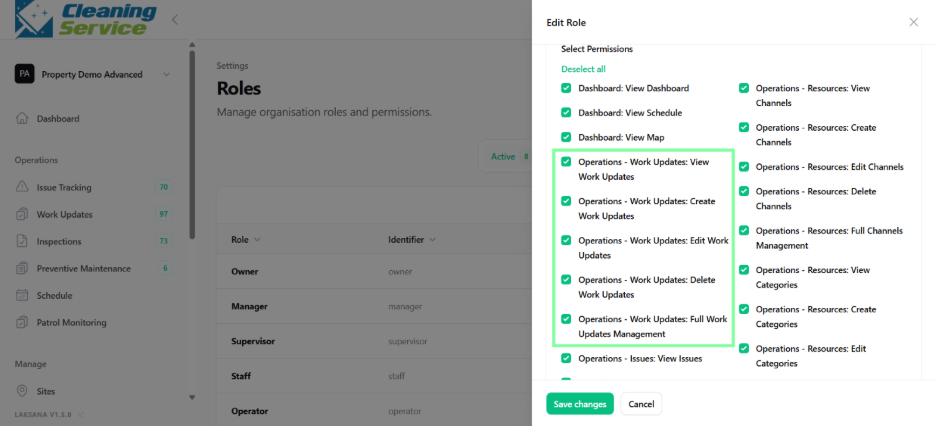
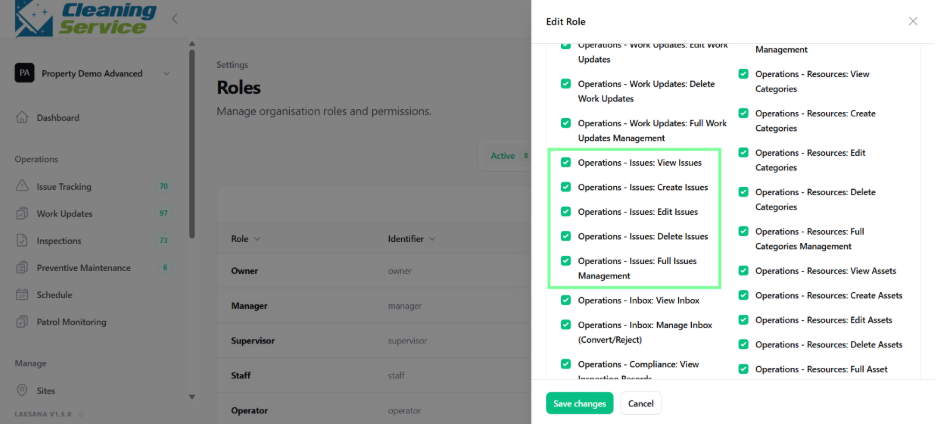
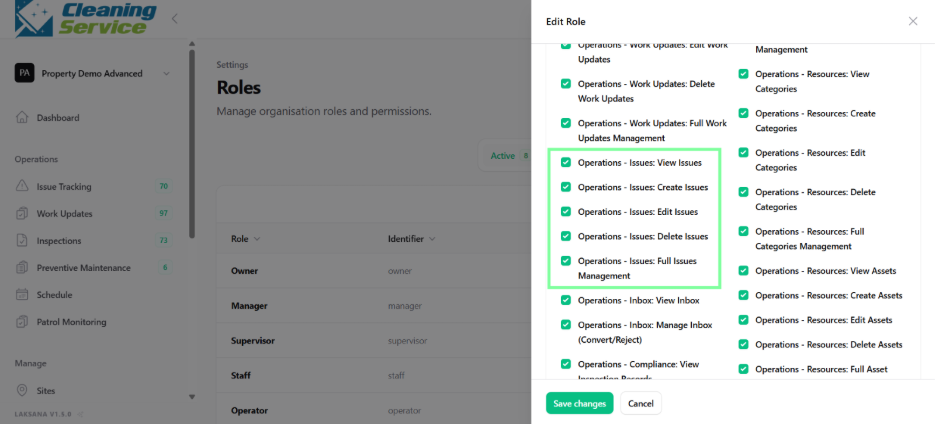
Enable or disable permissions based on user responsibility.
Save the role.
Tips
Give full access only to trusted admin users.
Create separate roles for managers, supervisors, and field users.
Review permissions before onboarding a new customer or site.