
Overview
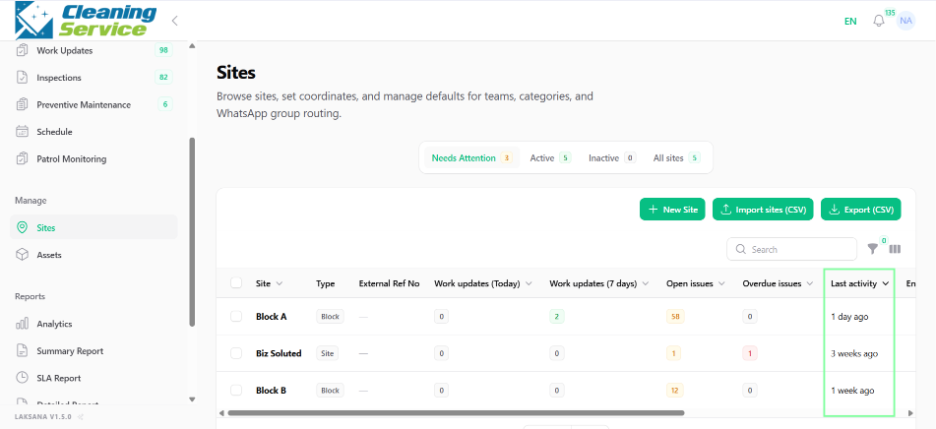
The site dashboard gives users a site-level view of operational activity. It helps managers and supervisors monitor daily updates, open issues, overdue issues, and recent activity for a specific site.
Steps
Go to Manage.
Open Sites.
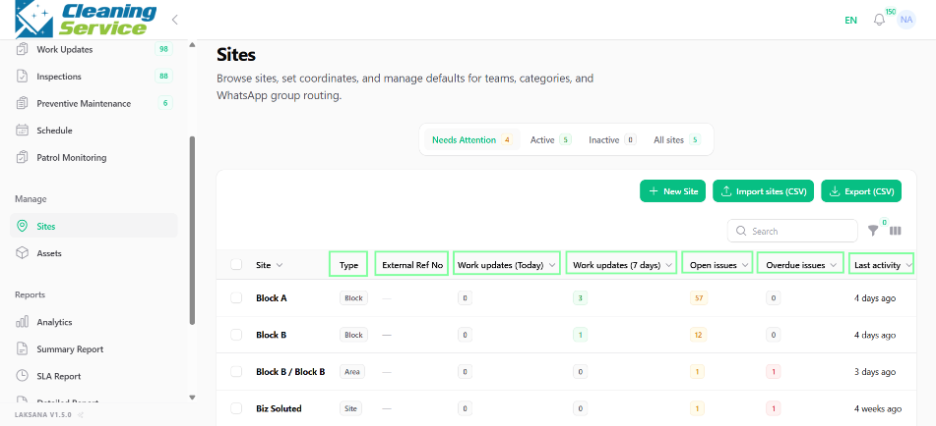
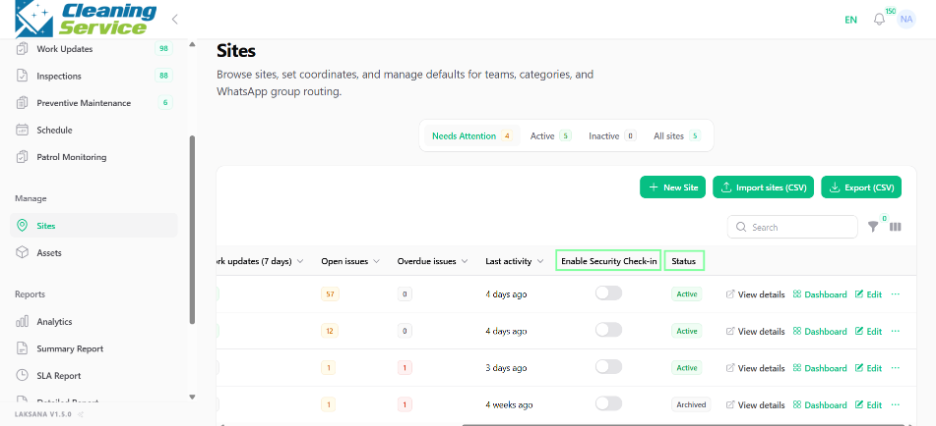
Find the site you want to review.
Click Dashboard.
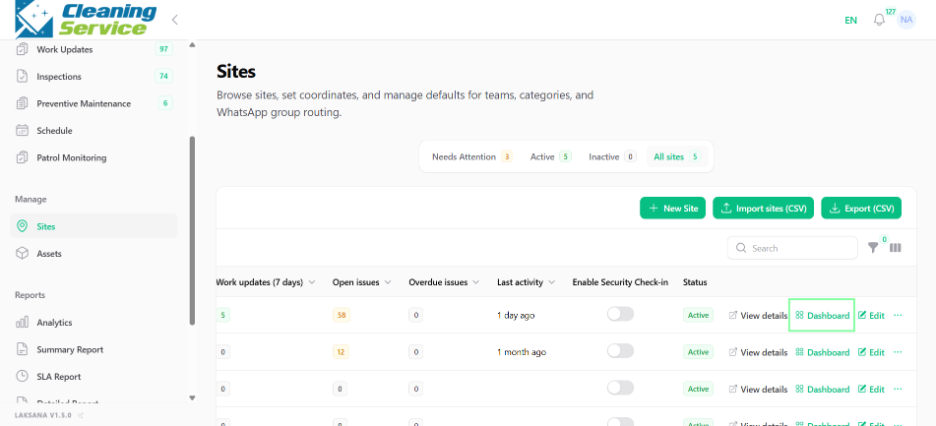
Review the available site metrics and records.
What to review
On the site dashboard, review: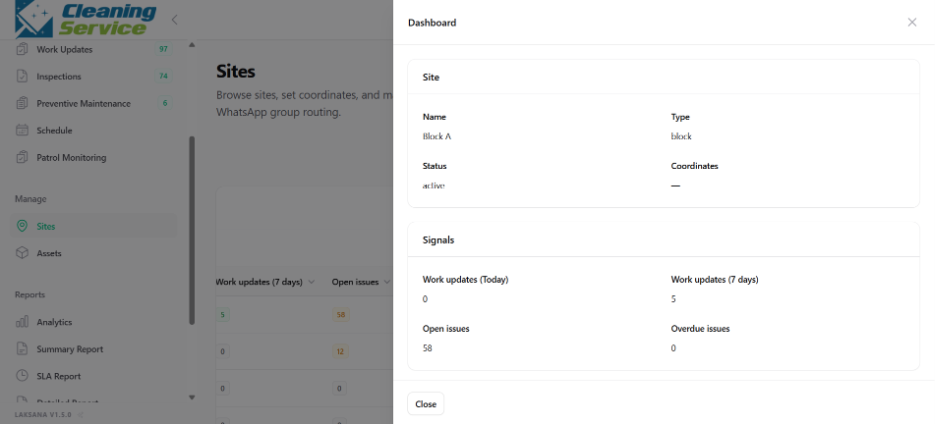
Work updates submitted today.
Work updates submitted in the last 7 days.
Open issues.
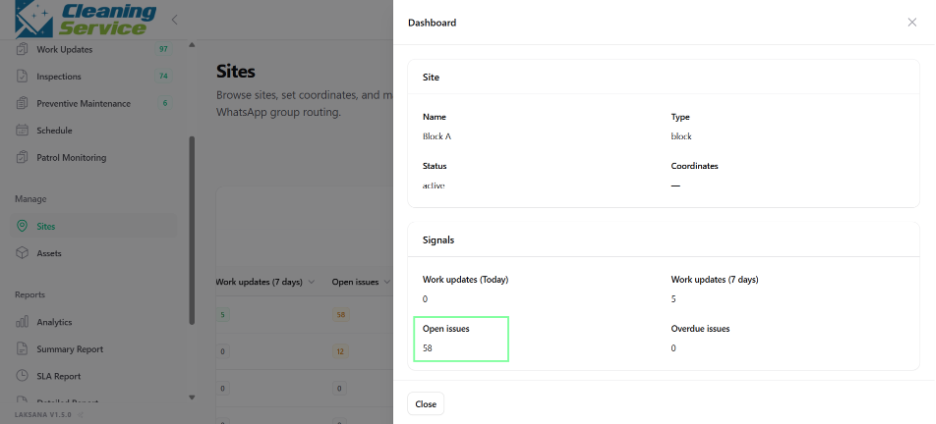
Overdue issues.
Last activity.
Example use case
A facility manager reviews the site dashboard every morning to identify open issues, overdue items, and whether field teams submitted daily updates.