
Overview
Asset QR codes allow field users to quickly access an asset-specific page. This makes it easier to submit issues, work updates, or related reports for the correct asset.
Steps to print asset QR
Go to Manage.
Open Assets.
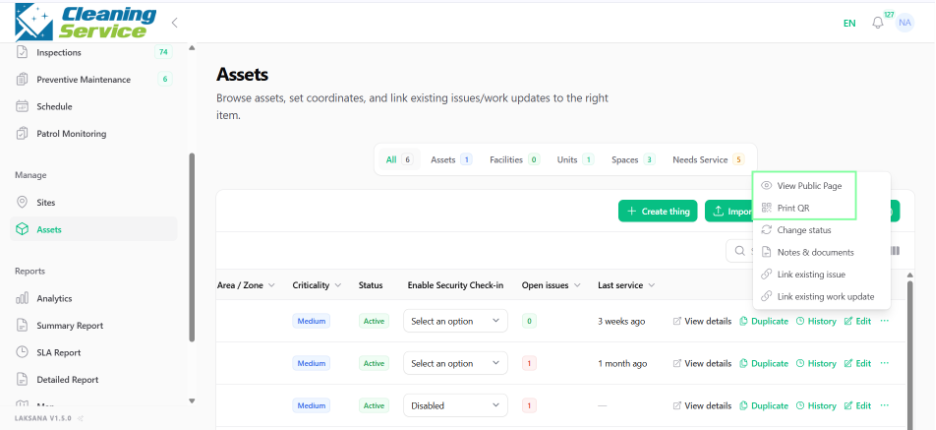
Find the asset.
Click Print QR.
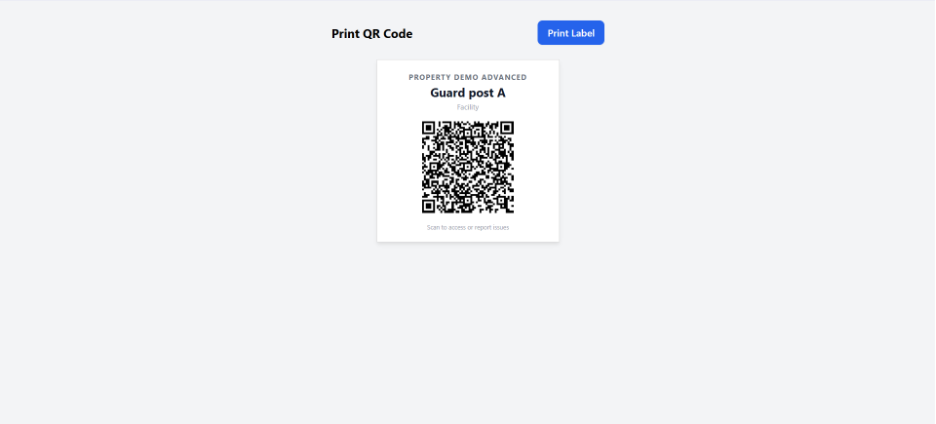
Print and place the QR code near the asset.
Steps to view asset public page
Go to Manage.
Open Assets.
Find the asset.
Click View Public Page.
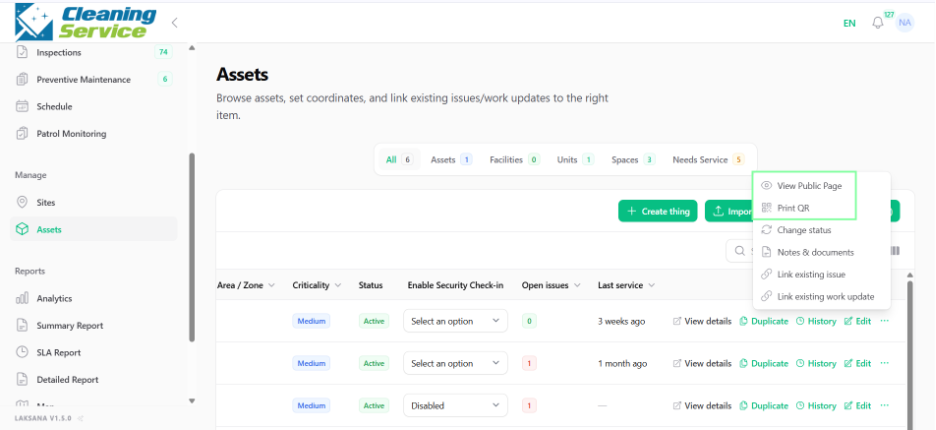
Review the asset-specific page.
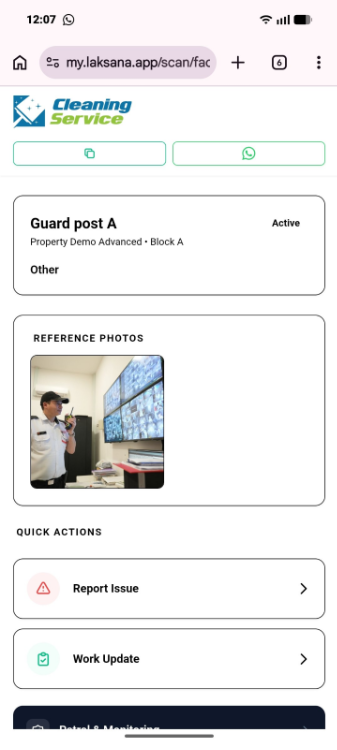

Example use case
A QR code is attached to an AHU unit. When a technician scans the QR code, they can submit a work update or report an issue directly linked to that AHU.