
Overview
Users with the correct permission can report a new issue directly from the Laksana portal.
Before you start
Make sure the site, category, and relevant asset already exist if you want to link the issue properly.
Steps
Go to Operations.
Open Issue Tracking.
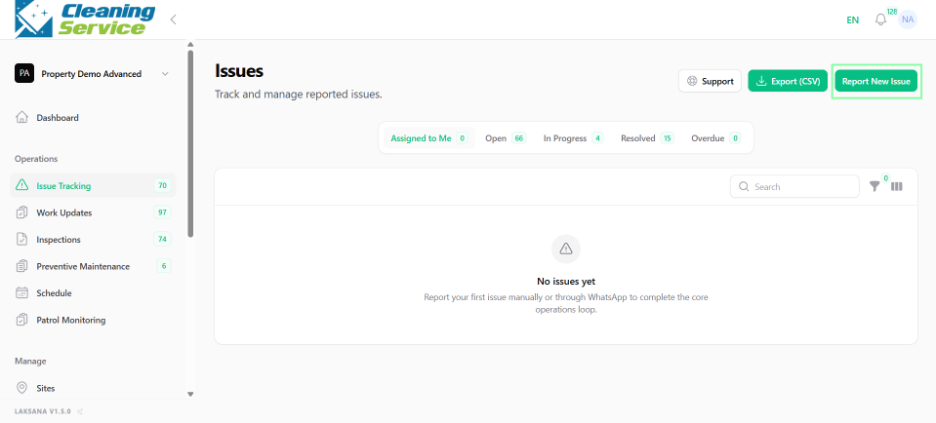
Click Report New Issue.
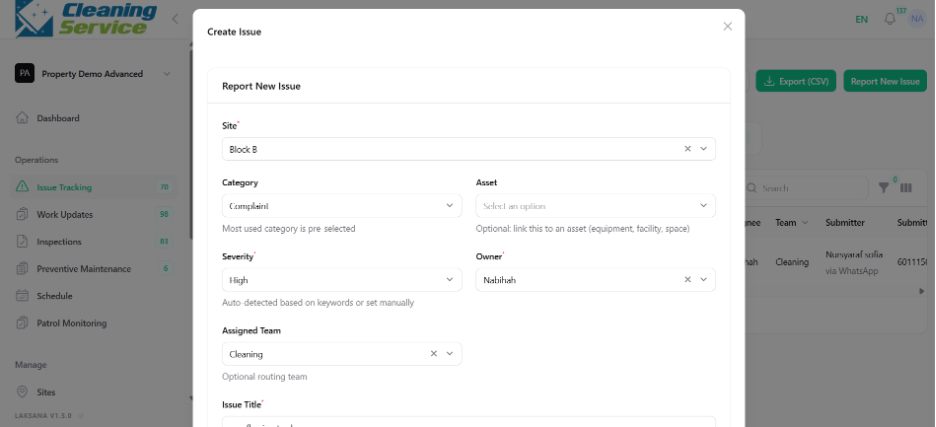
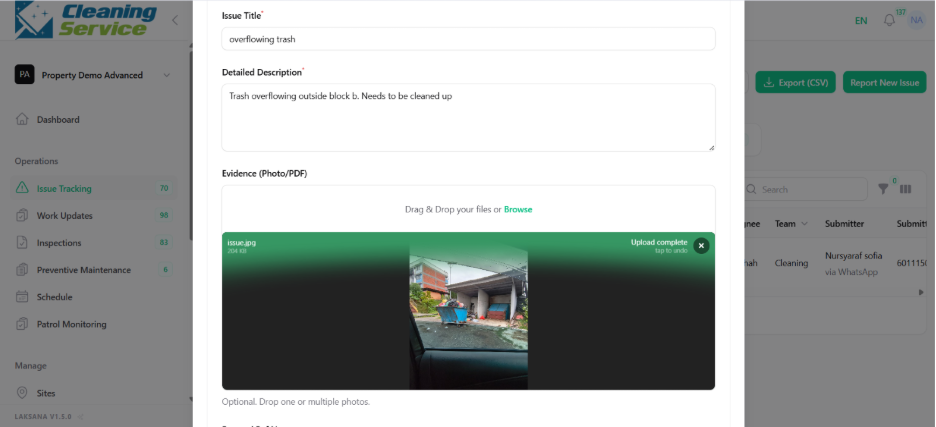
Enter the issue title.
Select the site.
Select the category.
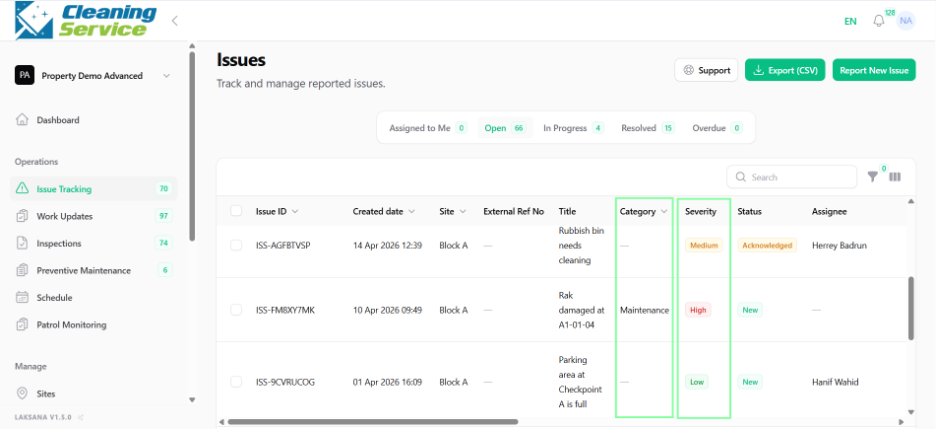
Set severity, if required.
Add issue description.
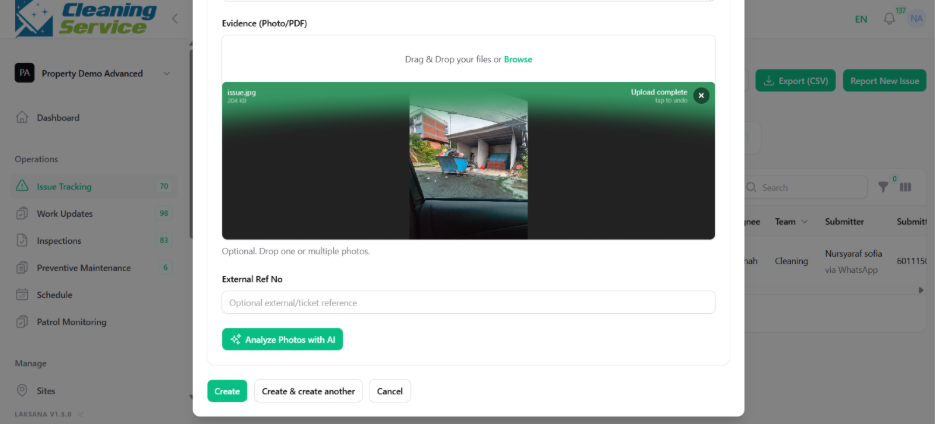
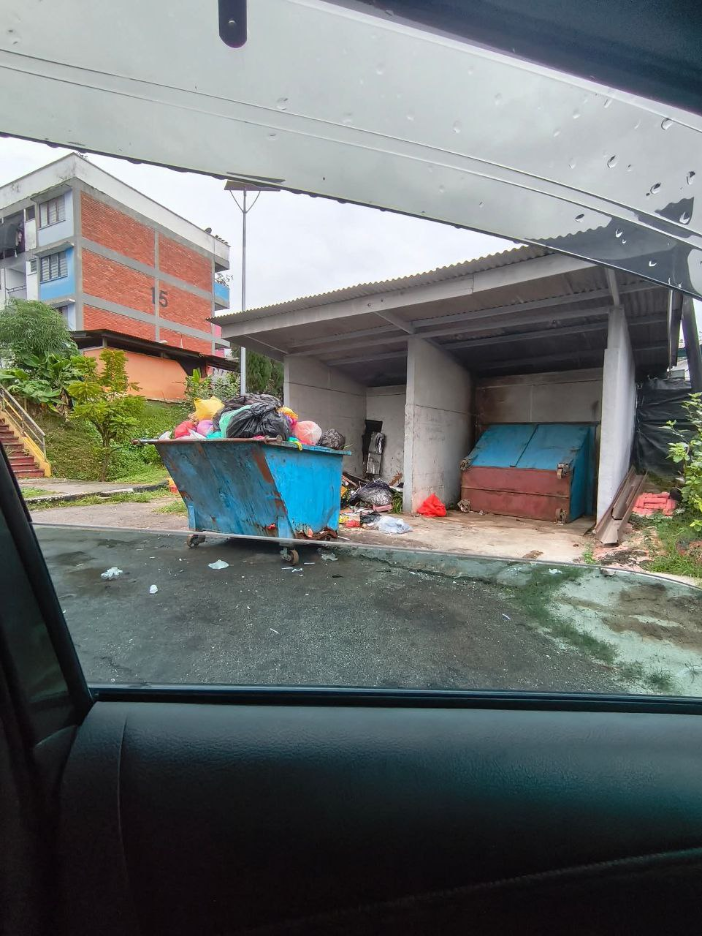
Upload evidence photo, if available.
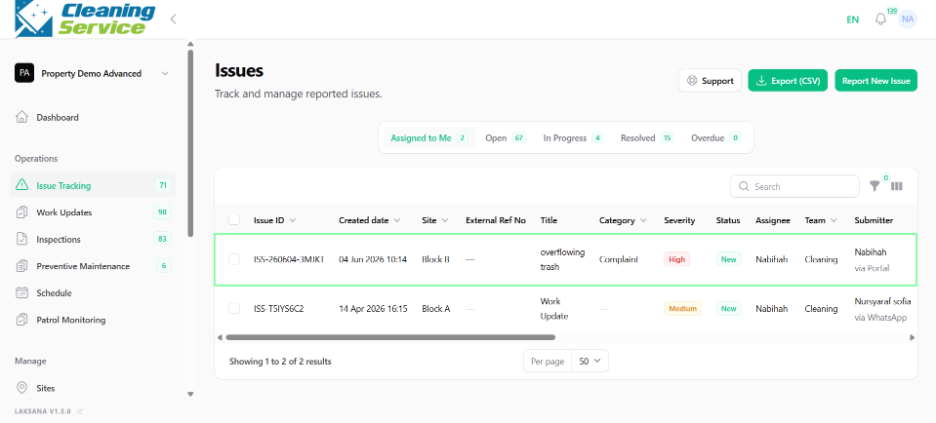
Assign user or team, if required.
Submit the issue.
Tips
Use a short and clear issue title.
Select the correct site and category.
Attach photos where possible.
Use severity to help supervisors prioritise urgent issues.