
Overview
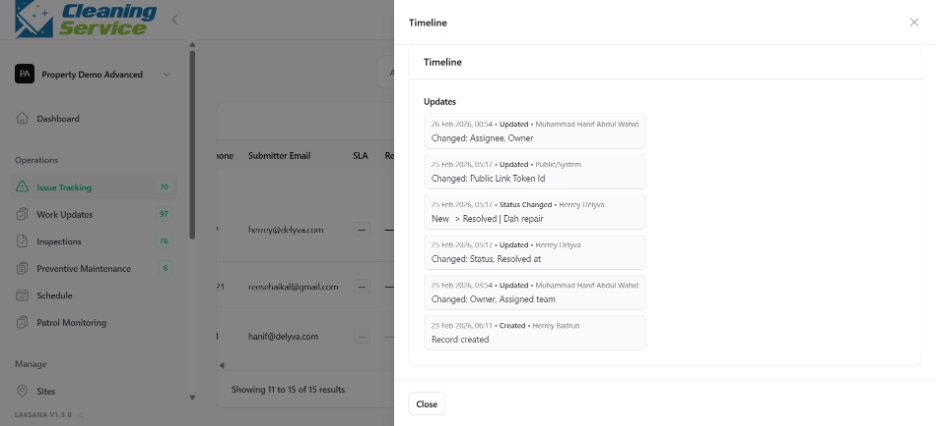
The issue timeline shows the history of actions taken on an issue. This may include creation, assignment, status changes, comments, updates, and closure.
Steps
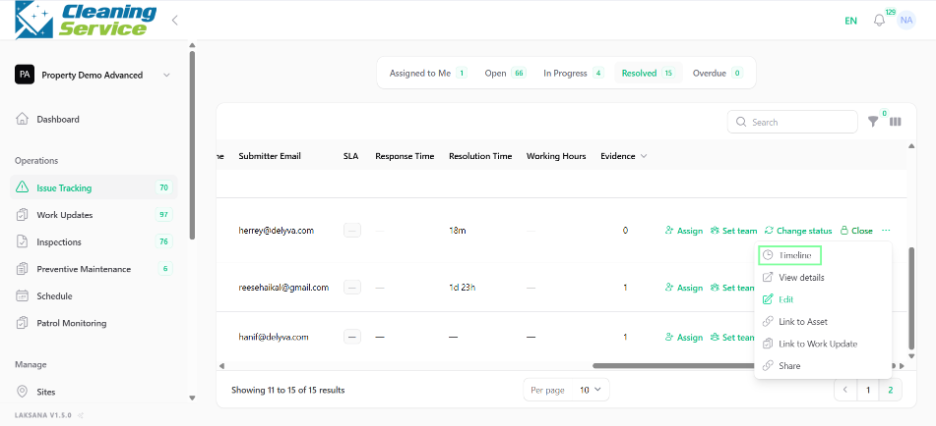
Go to Operations.
Open Issue Tracking.
Find the issue.
Open the action menu.
Click Timeline.
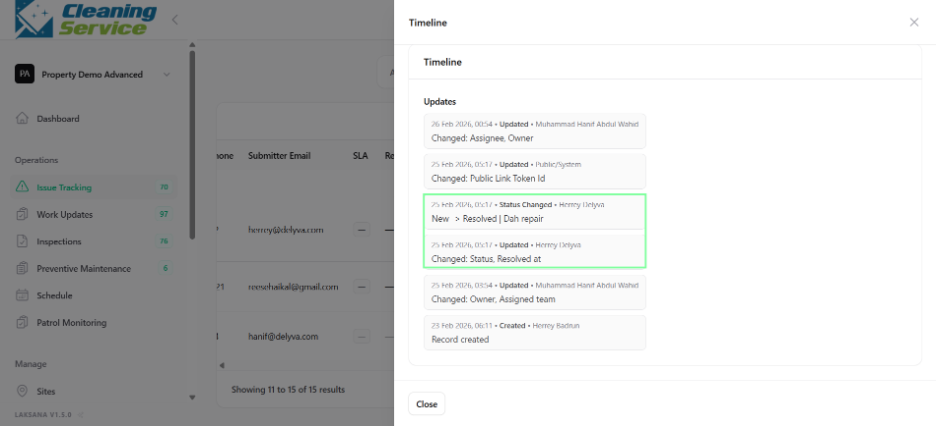
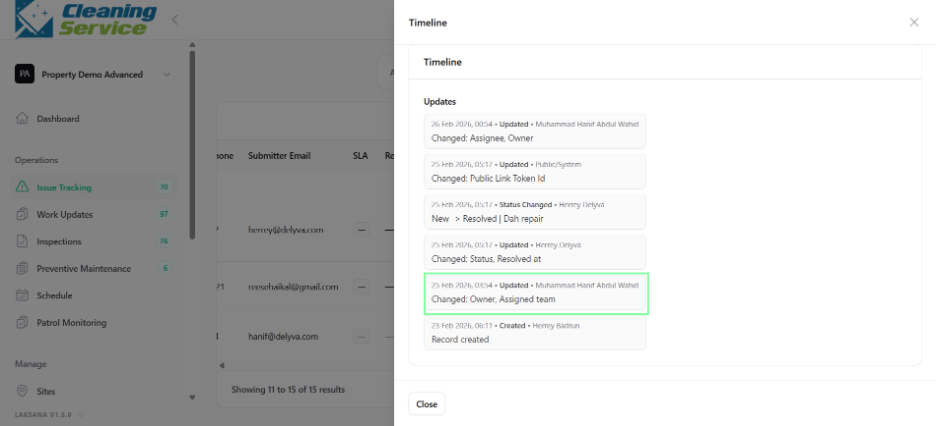
Review the history records.
Why timeline is useful
The timeline helps users understand:
Who created the issue.
When it was assigned.
Who changed the status.
When updates were made.
When the issue was closed.