
Overview
Assigning an issue ensures that the correct person or team is responsible for follow-up and resolution.
Steps
Go to Operations.
Open Issue Tracking.
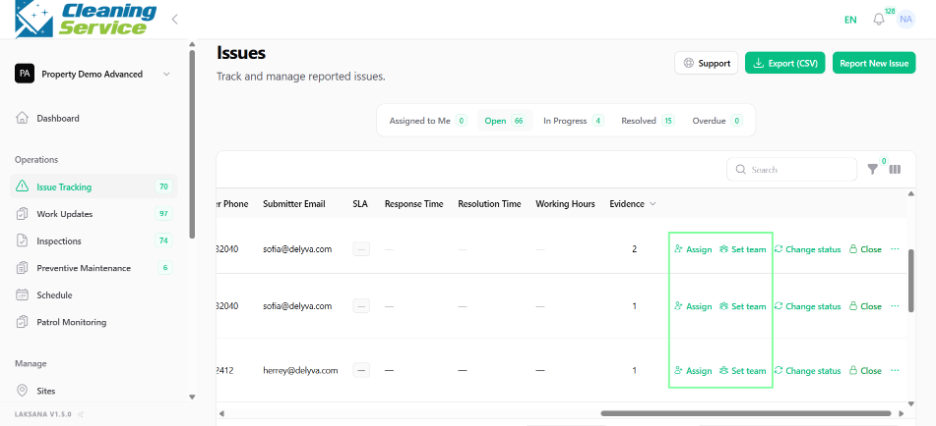
Find the issue.
Open the action menu.
Select Assign User or Assign Team.
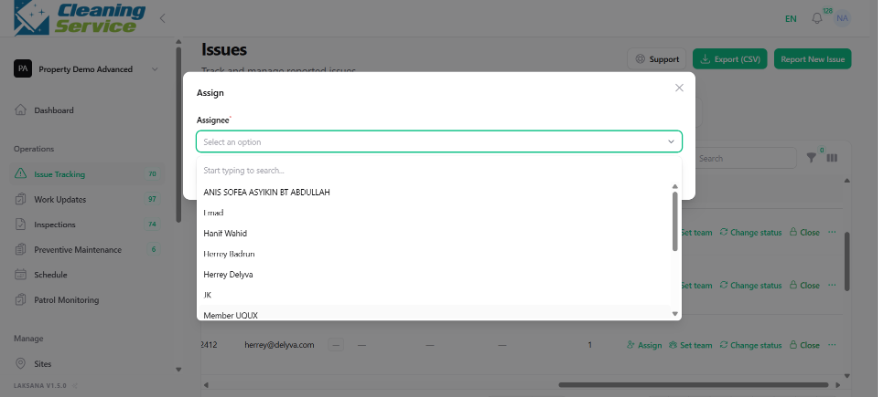
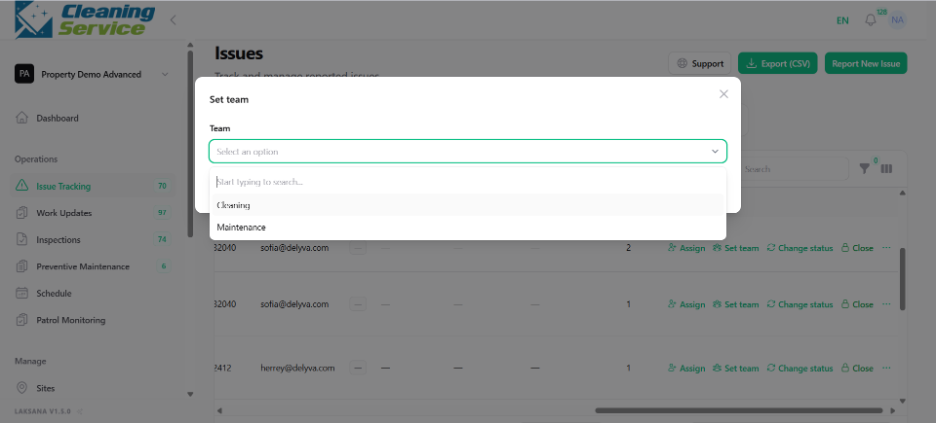
Choose the user or team.
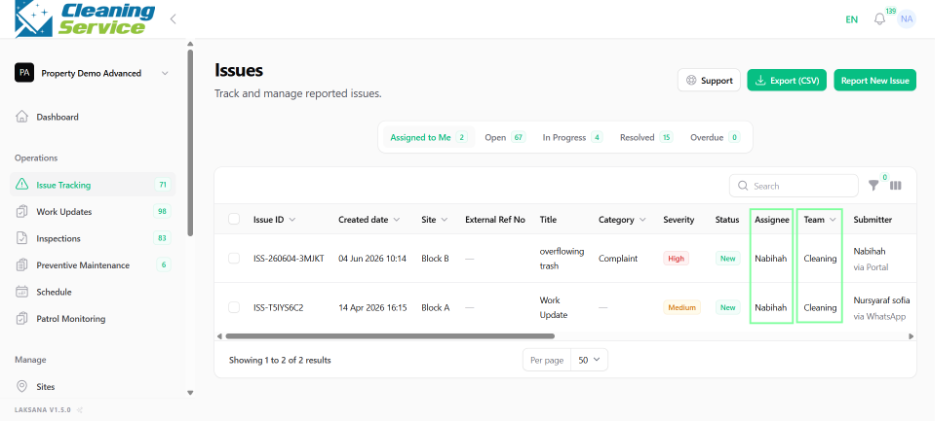
Confirm the assignment.
Tips
Assign urgent issues immediately.
Use teams when the exact person is not yet confirmed.
Use assignment rules for automatic assignment where possible.