
Overview
Issues can be linked to assets or work updates. This helps build a clearer operational history and connects related records together.
Steps to link issue to asset
Go to Operations.
Open Issue Tracking.
Find the issue.
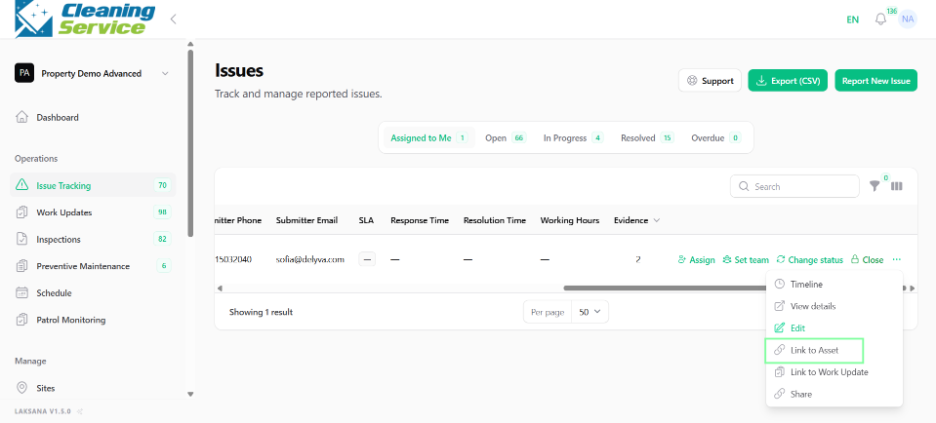
Open the action menu.
Click Link to Asset.
Select the asset.
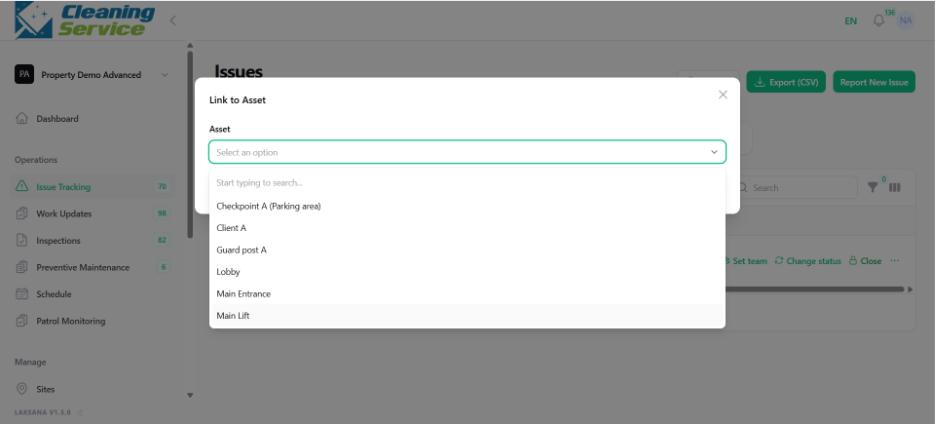
Save the link.
Steps to link issue to work update
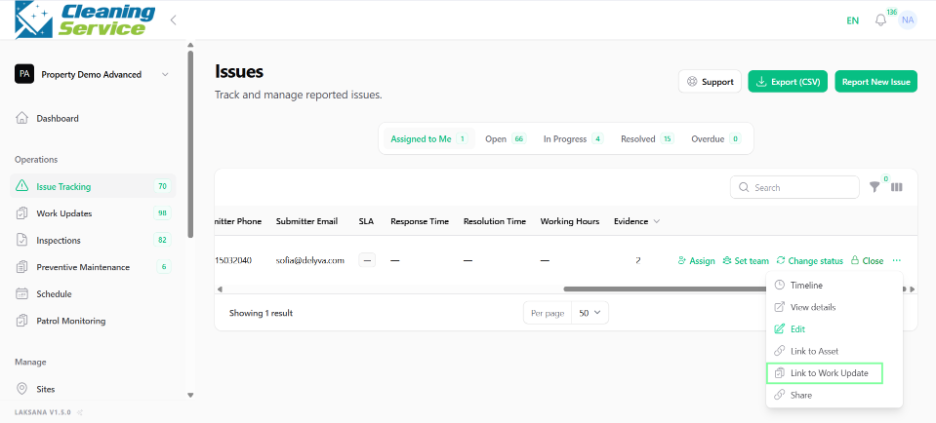
Open the issue action menu.
Click Link to Work Update.
Select the related work update.
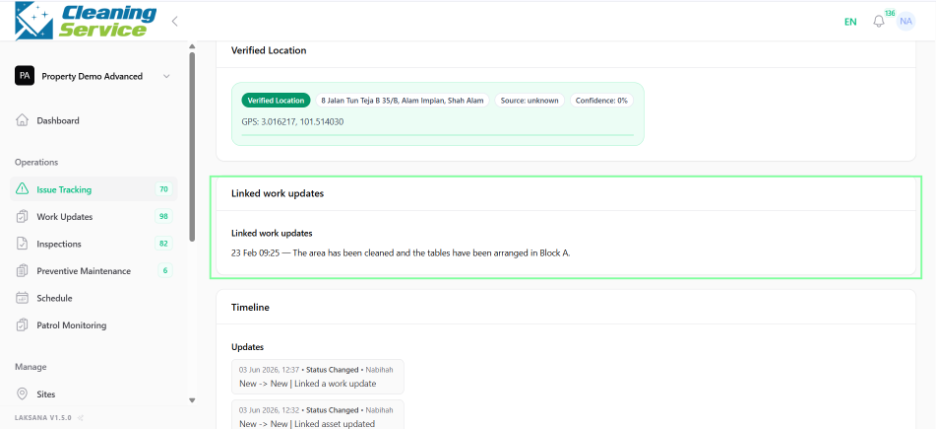
Save the link.
Example use case
A work update shows that a technician repaired a leaking pipe. The supervisor links the work update to the original leakage issue so the full repair history is visible.