
Overview
The SLA Report shows SLA results and allows users to filter results by date range and site.
Steps
Go to Reports
Open SLA Report.
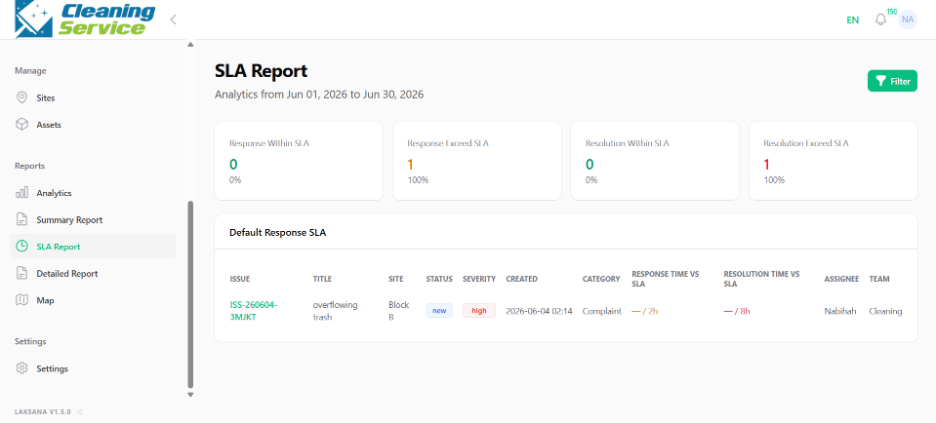
Select the date range.
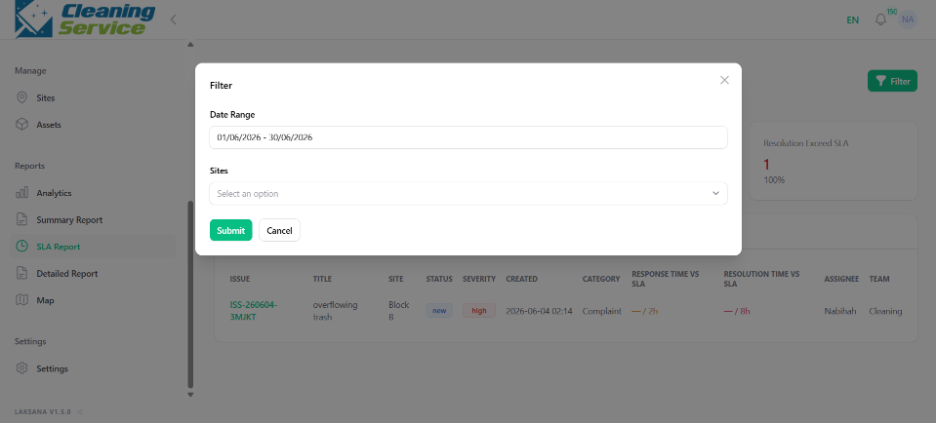
Select site, if required.
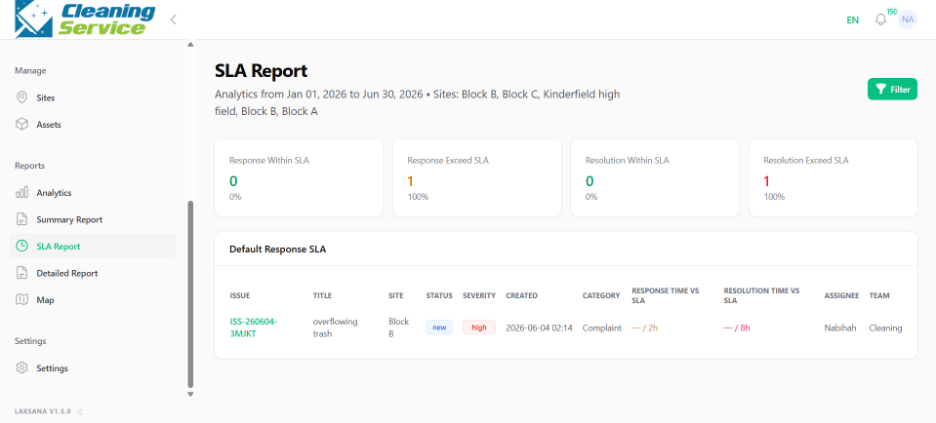
Review SLA results.
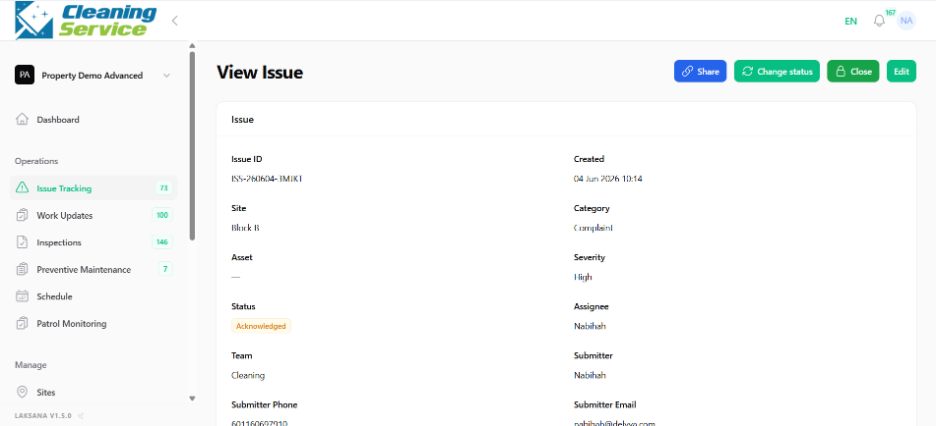
What to review
Issues that met SLA.
Issues that breached SLA.
Response time performance.
Resolution time performance.
Site-level SLA trends.